


.avif)





.svg)
.svg)




Vectr has made a name for itself as an online vector design tool, often acclaimed for its free and accessible nature, a true gateway to graphic design. But in 2025, with the explosion of new solutions and ever-changing professional expectations, is it still the right choice for your creations? I've been testing and using Vectr regularly since the early days of Easy Web, and I'd like to share with you some objective feedback on its simplicity, key features and real limitations. My aim: to help you decide whether it has a place in your creative arsenal.
My experience with Vectr
I've had Vectr in my toolbox for several years now, a little nugget that I pull out regularly for specific needs. It's one of those tools that quietly but surely evolves. What I find in it and particularly appreciate is its disconcerting simplicity for online vector design.
This tool is excellent whenever you need to produce icons, simple illustrations or quick wireframes without wanting to launch a gas factory like Illustrator. Its uncluttered interface and ability to run directly in the browser make it a valuable ally for express corrections or lightweight creations.
It's the perfect tool for all your design needs.
That said, don't expect to compete with the industry behemoths. As soon as you touch on complex projects, advanced typography management or specific effects, Vectr's limits are quickly felt. It remains a back-up tool, not your main production software.
Is Vectr really useful for my needs?
The real question to ask yourself before using Vectr is: what is my objective? Because the relevance of Vectr depends very much on how you use it. If you're looking for a simple, effective tool for basic vector creations - streamlined logos, personalized icons or minimalist web illustrations - then yes, Vectr is a valuable ally. It lets you achieve clean, professional results without getting bogged down in complex functionality.
Whether you're a freelance developer in need of a few UI elements, a blogger wanting to illustrate his articles with unique icons, or a solo entrepreneur preparing a small logo for his startup, Vectr can save you an incredible amount of time. For example, for explanatory diagrams or visuals for a quick presentation, it's frighteningly efficient.
Another major advantage of Vectr, and one we sometimes forget, is its availability. Being entirely web-based, you can access it from anywhere, on any computer, without any installation. It's ideal for last-minute touch-ups or quick collaboration, whatever your machine.
Is Vectr suitable for beginners?
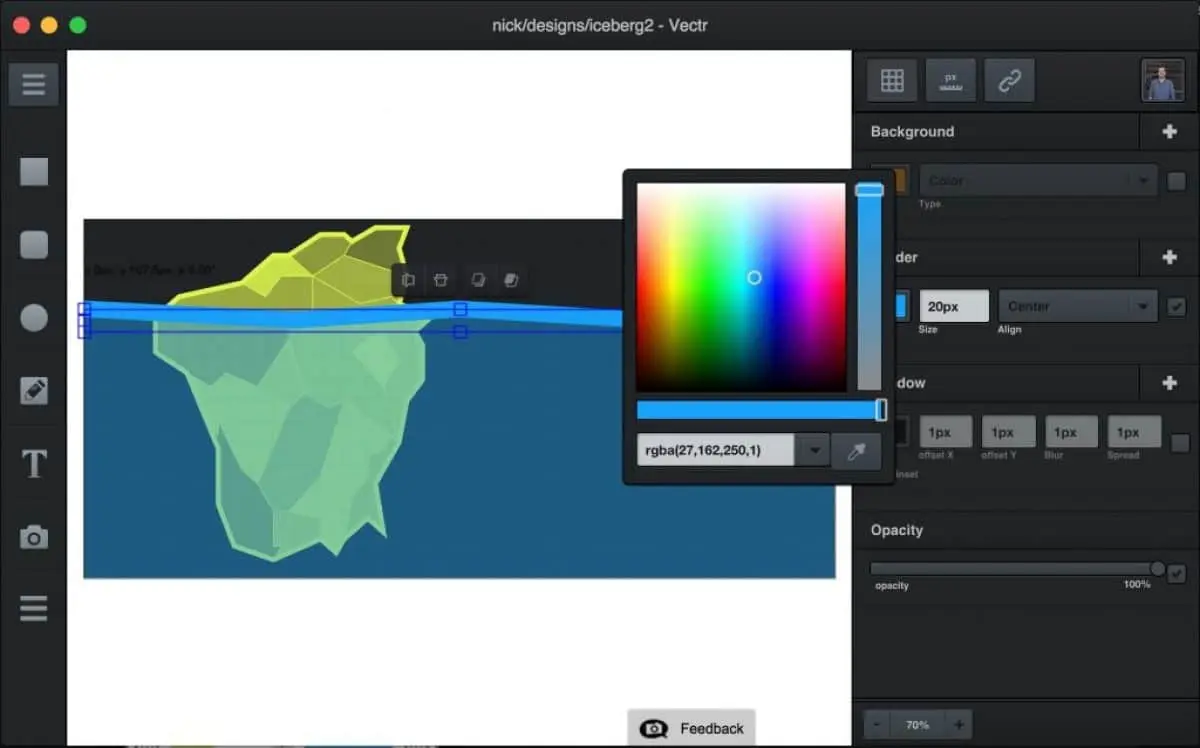
Vectr is the ideal companion when you're taking your first steps into the world of vector design. Its uncluttered, no-frills interface lets you concentrate on the essentials. Manipulating basic shapes, creating simple icons or sketching a logo in just a few clicks becomes child's play. No more hours spent understanding complex menus; here, you produce quickly. I remember our early days when the learning curve was a real barrier for a lot of software.
What's also great about it is its accessibility. It's free, web-based, so there's no need for heavy installation or fancy hardware. You just launch your browser and you're ready to go. For someone who's just starting out and doesn't want to invest in expensive software suites right away, this is a major advantage. Real-time collaboration is also a plus for team learning, a feature that even beefier tools didn't always have a few years ago.
.


How much does Vectr cost?
Let's talk money, or rather, no cost with Vectr. That's one of its major assets: this vector design tool is entirely free. Yes, you read that right. No hidden packages, no premium subscription to unlock for essential features. Everything you need for basic illustrations, icons or simple logos is accessible right out of the box.
This free approach makes Vectr perfect for students, freelancers starting out and watching their budgets, or even experienced professionals looking for a quick, lightweight solution for one-off tasks without installing heavy software. At Easy Web, we've sometimes used it for quick prototypes or emergency touch-ups when a paid tool wasn't at hand. A great opportunity to get started at no cost.
What are Vectr's key features?
Frankly, when I'm looking for a tool that saves the day for a quick touch-up or a simple prototype, Vectr comes to mind. No download, no install. You just open it in your browser, that's all. For agencies like ours, where responsiveness is key, a vector-based solution that's accessible everywhere is a significant asset. We've often used it for small layouts or last-minute modifications, without the heaviness of more complex software.
But make no mistake, beneath this simplicity lies solid vector functionality. You've got the essential tools: path manipulation, geometric shape creation and efficient text management. Clearly, we're not talking about Illustrator here. But for icons, basic logos or streamlined illustrations, Vectr does the job. It's the perfect base for projects that don't require complex layers or advanced effects. It's the minimalist Swiss Army knife of design.
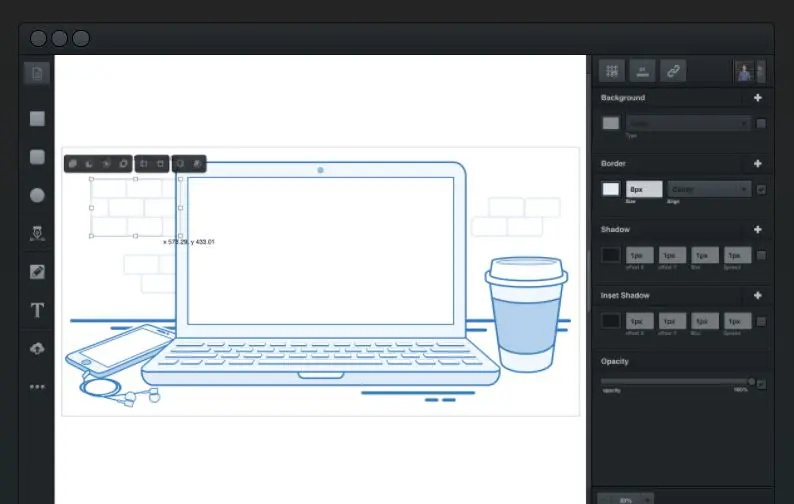
Frankly, real-time collaboration on Vectr has changed the game at Easy Web. No more endless back and forth of files. You work live with your team or customers, seeing changes displayed instantly. This makes it incredibly easy to validate wireframes or refine logos, especially when deadlines are tight. It's a real time-saver, and believe me, every minute counts.
Beyond that, their path tools and Boolean operations - union, subtraction, intersection - are frighteningly efficient. This is essential for sculpting complex icons or precise vector illustrations. The ability to merge, cut or intercept shapes gives an accuracy and agility that I appreciate. For projects that require finesse, it's a major asset that really simplifies life.
Vectr, simple as it may seem, quickly reaches its limits. For hyper-detailed illustrations, management of heavy vector files or advanced typography on a precise logo, we quickly felt that depth was lacking. Think of the demands of a complex graphic charter or editorial illustration where every pixel counts.
In these cases, behemoths like Illustrator, Affinity Designer, or even Figma for the interface, remain the standards. They offer that indispensable professional power. But beware, Vectr is not obsolete! For quick sketches, simple icons or getting started without cost, it's a really relevant and accessible starting point.
My personal assessment is therefore:
Benefits:
- Free, online, zero installation.
- Super-intuitive interface, ideal for beginners.
- Perfect for occasional, lightweight needs.
Disadvantages:
- Lacks pro features for large-scale projects.
- Does not handle complex files well.
- No advanced tools (meshes, sophisticated gradients).
FAQS
Is it reliable and secure?
The reliability and security of a cloud tool is always the first thing I look at. Vectr integrates robust SSL/TLS encryption to protect your data in transit. That's the basics, and they do it well. As for storage, everything is managed on their servers, with regular backups. As we've seen at Easy Web, we've never encountered a major breach or unexpected loss of work. They're reactive about updates, which is crucial for security in 2025.
Is it compatible with my other tools?
Compatibility is the sinews of war, I agree. With Vectr, you can export your creations in SVG, PNG and JPEG without worry. For web integration or quick mockups, it's perfect. On the other hand, if your workflow relies on proprietary formats such as Adobe Illustrator's `.ai' or `.eps' files, expect manual conversions. It's not designed as a central hub for all your professional formats, but for standard web exports, it does the job efficiently. This is a key point to consider for your production chain.
Is there responsive customer support?
Honestly, for a free tool like Vectr, customer support responsiveness is... relative. Don't expect the same level of service as with a premium solution. In my experience and that of my team at Easy Web, you're better off relying on the detailed FAQ and the user community. Direct feedback via email is possible, but the speed varies. It's often the sharing of experience between designers that will get you out of an impasse faster than an official response. Keep this in mind.
What do other users think?
The feedback I get most often on Vectr emphasizes its great simplicity. Those who adopt it greatly appreciate its lightness and almost immediate grasp, perfect for basic vector needs such as creating icons or simple logos. This is a recognized strength, especially for beginners or quick tasks. Nevertheless, for more complex projects requiring advanced functionality, advanced layer management or integrations with other software suites, most more experienced designers quickly reach its limits.
.Can I easily change later?
The feedback I get most often on Vectr emphasizes its great simplicity. Those who adopt it greatly appreciate its lightness and almost immediate grasp, perfect for basic vector needs such as creating icons or simple logos. This is a recognized strength, especially for beginners or quick tasks. Nevertheless, for more complex projects requiring advanced functionality, advanced layer management or integrations with other software suites, most more experienced designers quickly reach its limits.
.Alternatives
.svg)

Specializing in business creation, sales and digital marketing, he puts his expertise at the service of users to help them identify the solutions best suited to their needs. Passionate about digital innovation and optimizing online performance, Alexis is committed to providing detailed, transparent and unbiased comparisons.
Do you have an entrepreneurial project?
We support you in the structuring and development of your tech project. Make an appointment with one of our Business Strategists.